Introduction
Electronics are among the most expensive and vulnerable items in any Indian household. Moving fragile electronics safely requires more than just wrapping them in newspaper and hoping for the best. A cracked TV screen, a water-damaged laptop, or a refrigerator compressor failure can cost you tens of thousands of rupees in repairs or replacements. This guide gives you a practical, step-by-step approach to protect every device you own during a home shift.
Why Electronics Are Highly Vulnerable During Relocation
Modern electronics contain precision components built for stationary use, not transportation. During a typical home relocation in India, your devices face four major threats:
- Physical shock and vibration from loading, unloading, and road conditions
- Moisture and humidity during monsoon season or long transit
- Heat damage during summer shifts or when stored in hot vehicles
- Electrostatic discharge (ESD) that silently destroys internal circuits
A 65-inch LED TV, a gaming PC, or a high-end laptop can sustain irreversible damage from even one rough handling incident. The risks multiply over long-distance moves across states.
Common Risks That Damage Electronics During Moving
Understanding what goes wrong helps you prevent it.
Screen cracks are the most common damage reported. TV screens and monitors are particularly fragile and can crack from lateral pressure, not just direct impact.
Internal component damage occurs when hard drives, graphics cards, and circuit boards are jolted without proper cushioning. A hard drive in motion can suffer permanent data loss from a single sharp bump.
Moisture infiltration during monsoon transit or humid storage corrodes PCBs and connectors. This damage often appears days after relocation, making it harder to trace.
Compressor damage in refrigerators happens when the appliance is tilted beyond the manufacturer’s recommended angle during transport.
Cable and connector damage results from improper disconnection or tangled packing, leading to bent pins and broken ports.
How to Prepare Electronics Before Packing
Preparation is where most families fail. Start at least one week before the move.
Back up all data immediately. Copy important files from laptops, desktops, and external drives to cloud storage or a separate backup drive. Do this before packing begins, not after.
Photograph cable connections. Before disconnecting anything, photograph the back of your TV, desktop, home theater system, and router. This saves hours during reinstallation.
Discharge residual power. Unplug all devices at least 30 minutes before packing. This reduces the risk of electrostatic discharge during handling.
Remove batteries from remotes and portable devices. Batteries can leak during long transit and corrode internal contacts.
Defrost refrigerators 24 hours in advance. Moving a refrigerator with ice or condensation inside leads to water damage and Mold during transit.
Best Packing Materials for Fragile Electronics
Using the right anti-static packing materials is non-negotiable for safe electronics relocation.
- Anti-static bubble wrap for circuit boards, laptops, and gaming consoles. Regular bubble wrap builds static charge, which can damage sensitive components.
- Foam padding cut to fit inside boxes provides shock absorption that bubble wrap alone cannot.
- Double-boxing technique: place the device in one box with padding, then place that box inside a larger box with additional foam or packing peanuts.
- Silica gel packets inside sealed boxes absorb moisture during transit, especially critical during Indian monsoon months.
- Original packaging is always the best option when available. Manufacturers design it specifically for safe transport of their products.
Avoid newspaper packing. The ink transfers, the paper provides no real cushioning, and it offers zero moisture protection.
Safe Ways to Pack TVs, Monitors, Laptops, and Gaming Consoles
Packing LED and OLED TVs
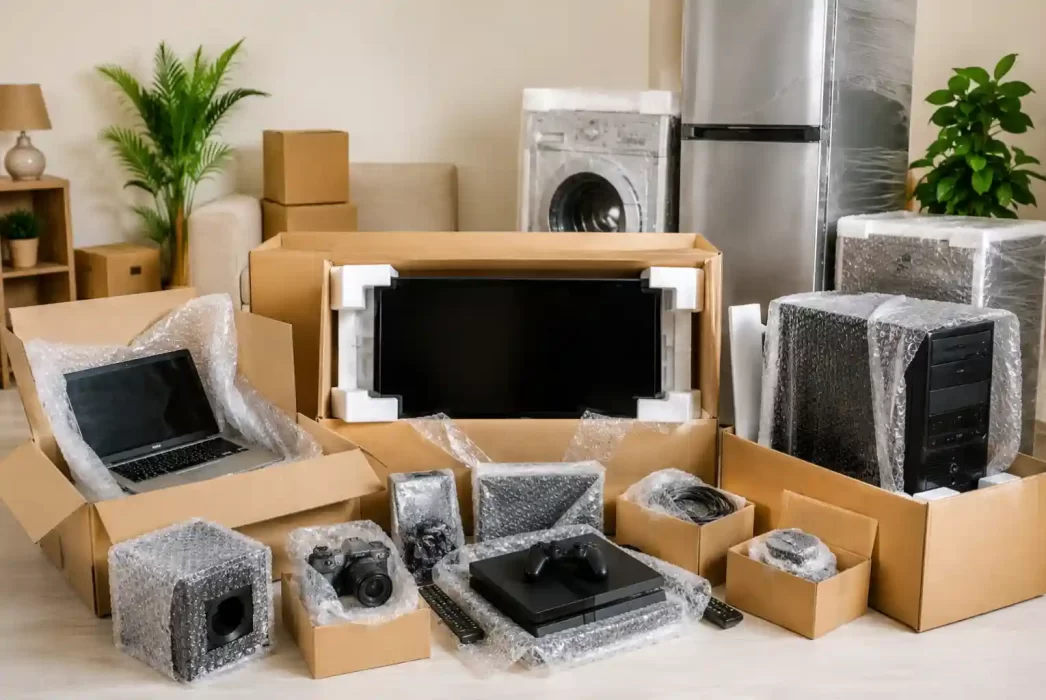
Screen protection is the highest priority for TV moving tips India searches, and for good reason. Place cardboard corner guards on all four corners. Wrap the screen in anti-static bubble wrap, securing it without applying pressure to the panel. Always store and transport the TV vertically, never flat. A TV laid flat during transport is far more likely to suffer screen damage.
Packing Laptops
Wrap the laptop in anti-static foam sleeve first, then in bubble wrap. Place it in a hard-sided box with foam lining on all six sides. Remove the charger and store it separately. Do not pack heavy items on top of the laptop box.
Packing Gaming Consoles and Desktops
For gaming consoles, use the original box if available. If not, wrap in anti-static bubble wrap, secure all loose cables separately, and place in a snug foam-lined box. For desktop PCs, remove the graphics card and store it separately if it is high-value. Secure all internal components with foam before sealing the case. Label the box “This Side Up” clearly.
Precautions for Moving Refrigerators, Washing Machines, and ACs
Large appliances have different risks than consumer electronics.
Refrigerators must be transported upright whenever possible. If tilting is unavoidable, keep the tilt under 45 degrees and wait at least four hours after reaching the destination before switching the unit on. This allows compressor oil to settle back into place.
Washing machines require drum stabilizer bolts to be reinserted before transport. Without them, the drum moves freely and damages the bearings and drum housing. Ask your service engineer or refer to the original manual.
Air conditioners should have the indoor unit properly drained and dried before disconnection. Carry the remote and mounting brackets separately and label them.
Importance of Anti-Static and Moisture Protection
Two risks that most Indian families completely ignore are static electricity and humidity.
Anti-static protection matters most for bare circuit boards, RAM modules, graphics cards, and motherboards. If you are packing a desktop PC or any internal components, always use anti-static packing materials such as pink or silver anti-static bags.
Moisture protection is critical during June to September moves. Seal all electronics boxes with tape and place multiple silica gel packets inside. For devices stored in transit warehouses, ask specifically about climate control options.
Organizing Cables, Accessories, and Important Components
Cable chaos is one of the biggest post-move problems. Invest 30 minutes before packing to:
- Label both ends of every cable with masking tape and a marker
- Bundle cables with velcro ties, not rubber bands (rubber bands deteriorate and can bind cables tightly over time)
- Store all cables, remotes, chargers, and manuals for a device in a single labeled zip-lock bag
- Photograph accessory groups before sealing bags
This directly reduces reinstallation time and prevents the frustration of missing cables and adapters.
Loading and Transportation Safety Tips
How electronics are loaded into the vehicle matters as much as how they are packed.
- Load heavy appliances first, then place lighter electronics on top
- Never stack boxes on top of TVs or monitor boxes
- Use furniture blankets between hard surfaces and electronic boxes
- Secure all boxes with straps to prevent shifting during transit
- Choose a closed container truck over an open truck for long-distance moves, especially during monsoon or peak summer
For moves above 500 km, request suspension trucks or air-ride suspension vehicles from your mover. The difference in vibration levels is significant.
Common Mistakes People Make While Moving Electronics
Even careful families make these errors:
- Packing electronics in soft bags without rigid outer boxes
- Placing heavy books or utensils in the same box as electronics
- Forgetting to back up data before packing laptops
- Not labeling which end is up on TV boxes
- Moving the refrigerator immediately after defrosting without allowing full drying
- Switching on devices before they have reached room temperature after a cold transit
DIY Packing vs Professional Movers
DIY packing works for short local moves with standard consumer electronics. For long-distance moves, premium devices, or large appliances, hiring experienced movers adds real value through proper equipment, trained handling, and transit insurance.
When hiring movers, ask these specific questions:
- Do you use anti-static packing materials for electronics?
- Do you offer transit insurance that covers electronics?
- Do you have a closed container for long-distance transport?
- How do you handle TV boxes during loading?
If they cannot answer these questions clearly, that tells you everything.
Safe Unpacking and Setup After Relocation
Give electronics time to acclimatize before powering on, especially if they traveled from a cold environment into a warm home. Wait at least two hours.
Install a voltage stabilizer before reconnecting televisions, refrigerators, and ACs. Post-relocation power fluctuations in new areas are common and a surge can damage the device within seconds of being switched on.
Check all cable connections against your photographs before powering on. Test each device individually before assuming all is fine.
Final Checklist for Moving Fragile Electronics Safely
- Back up all data one week before moving day
- Photograph all cable connections before disconnection
- Procure anti-static bubble wrap, foam padding, double boxes, and silica gel
- Defrost refrigerator 24 hours before moving
- Reinsert washing machine drum bolts
- Label all cables and pack accessories per device
- Transport TVs vertically in labelled boxes
- Use a closed container truck for long-distance moves
- Confirm electronics coverage with transit insurance
- Wait for devices to reach room temperature before powering on
- Install voltage stabilizers before reconnecting appliances
Moving fragile electronics safely in India is entirely achievable with the right preparation, the right materials, and the right approach. The cost of proper packing materials is a fraction of what a single damaged screen or failed appliance will cost you. Plan, pack methodically, and your electronics will arrive in the same condition they left.